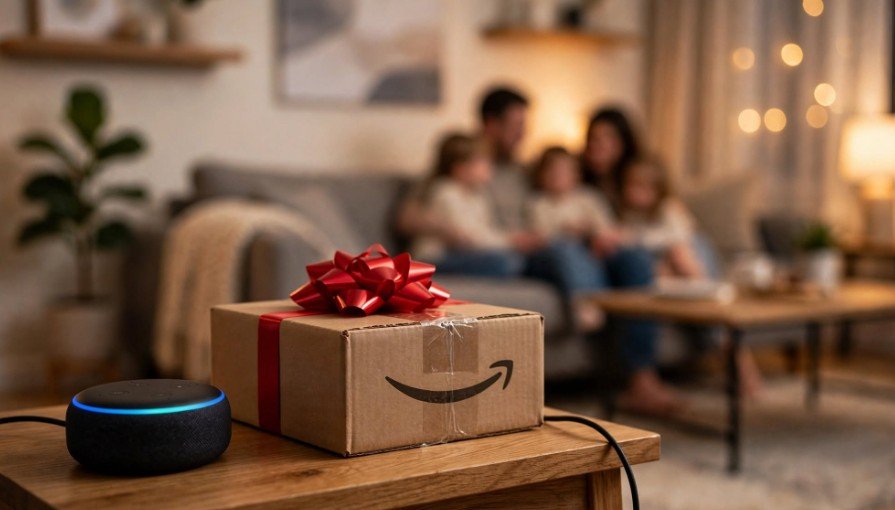
Imagine ordering a birthday present or Christmas gift, only for Alexa to announce the delivery in front of the person you’re surprising. While Amazon’s voice assistant makes online shopping convenient, its package notifications can sometimes reveal more than you intended.
Fortunately, learning how to stop Alexa from announcing Amazon deliveries doesn’t require disconnecting your Echo or changing your Amazon Prime membership. You can silence delivery alerts or hide product names through the Alexa app in just a few minutes.
I’ll walk you through both methods, explain how to manage Echo Show notifications, and share practical solutions for stopping unwanted package announcements.
How Do I Turn Off Alexa Delivery Notifications Completely?
The easiest way to stop Alexa delivery announcements is to disable Amazon Shopping notifications. This prevents your connected Echo devices from notifying you when eligible packages are out for delivery or have arrived.
Step 1: Open the Amazon Alexa App
Launch the Amazon Alexa app on your iPhone or Android smartphone. Make sure you’re signed into the Amazon account connected to your Echo Dot, Echo Show, or other Alexa-enabled device.
Step 2: Find Amazon Shopping Settings
Tap More in the bottom-right corner, select Settings, and open Notifications. Next, choose Amazon Shopping to access your order-related notification preferences.
You can follow this navigation path:
More → Settings → Notifications → Amazon Shopping
Step 3: Disable Delivery Announcements
Scroll to the Delivery Notifications section. Locate the options labeled Out for Delivery and Delivered, then turn off both toggles.
The first setting controls notifications when packages leave for final delivery, while the second controls alerts when Amazon marks an order as delivered.
You can also review other shopping notifications, including order updates, delays, and returns, and disable any you don’t need.
Once you’ve adjusted these settings, Alexa should stop sending the selected delivery notifications without affecting your ability to shop on Amazon.
How Can I Stop Alexa From Saying the Names of My Amazon Orders?
Sometimes, you want to receive package arrival notifications without Alexa revealing what’s inside.
For instance, if you’re ordering a surprise anniversary gift, knowing that a package has arrived is helpful. Hearing Alexa announce the product name in front of your spouse isn’t.
Thankfully, Amazon provides separate controls for hiding item titles.
Open the Alexa app and navigate to Settings, Notifications, and Amazon Shopping.
Look for Say or Show Item Titles and disable For items in delivery updates.
This prevents eligible delivery notifications from identifying the products you’ve purchased while allowing general package alerts to remain active.
You may also see an option labeled Including items marked as gifts. If available, turn it off to prevent Alexa from identifying products purchased as gifts.
I recommend reviewing both settings before major shopping occasions, particularly Christmas, Valentine’s Day, birthdays, and anniversaries.
Remember that hiding product names and disabling delivery announcements are different actions. If you want complete silence, turn off the delivery notification toggles too.
How Do I Stop Amazon Delivery Notifications on Echo Show?
An Echo Show can reveal shopping information visually, even when nobody hears an announcement.
Reliable connectivity is also important for getting the best experience from connected home entertainment devices. If your Roku TV frequently loses its wireless connection, learn why your Roku TV keeps disconnecting from Wi-Fi.
To improve privacy, start by disabling delivery notifications or product titles through the Alexa app.
Next, open Settings directly on your Echo Show and look for Home Content or Home Screen Content, depending on your device model.
Review any available shopping-related display options and disable the content you don’t want appearing on your screen.
This approach is particularly useful in shared living rooms, kitchens, or family spaces where other household members can easily see your Echo Show.
Why Is Alexa Still Announcing Amazon Packages After I Turn Off Notifications?
If Alexa continues announcing packages, the issue may involve additional shopping settings, previously received alerts, or an account mismatch.
Check Your Amazon Shopping Notification Settings
Return to the Amazon Shopping notification menu and review all available options.
Disabling Delivered doesn’t necessarily disable order updates, shipping changes, or other shopping-related notifications.
Make sure you’ve switched off every category you don’t want Alexa to announce.
Restart Your Echo Device
Temporary software issues can occasionally affect notification behavior.
Unplug your Echo from its power outlet, wait approximately 30 seconds, and reconnect it.
Once the device restarts and reconnects to Wi-Fi, check whether the unwanted notifications continue.
Update the Alexa App
An outdated app may display older settings or experience unexpected glitches.
Open the Apple App Store or Google Play Store, search for Amazon Alexa, and install any available updates.
After updating, reopen the app and confirm that your delivery notification preferences remain disabled.
Check Shared Amazon Accounts
If multiple people use Echo devices in your household, confirm which Amazon account is registered to each device.
Different accounts can have different notification preferences.
Reviewing the devices connected to your online accounts is another useful privacy measure, particularly when you no longer use an older phone or computer. Here’s how to remove old devices from your Google Account and manage unnecessary account access.
Reviewing the settings associated with each account can help prevent unexpected announcements.
Why Is My Alexa Flashing Yellow After an Amazon Delivery?
A flashing yellow light on an Echo speaker typically indicates an unread notification or message.
Although Amazon delivery updates can trigger this indicator, other notifications can cause it too.
Say, “Alexa, what are my notifications?” to hear pending alerts.
If the light remains after you’ve disabled delivery updates, check for previously received messages or notifications.
You can ask Alexa to delete notifications after reviewing them. Disabling future alerts doesn’t necessarily clear notifications that already exist.
Can I Stop Alexa Delivery Announcements on Just One Echo?
If you own multiple Echo devices, you might want package updates in your home office but not your bedroom.
However, Amazon Shopping notification preferences generally apply to your connected account rather than offering independent delivery controls for every Echo.
Some devices provide separate communication and announcement settings, but those controls may also affect calls, Drop In, or other features.
I recommend using the Amazon Shopping notification menu to manage package alerts without unnecessarily disabling unrelated Alexa functions.
Will Turning Off Alexa Alerts Affect Amazon App Notifications?
No. Disabling Alexa delivery notifications doesn’t automatically turn off push notifications from the Amazon Shopping app on your phone.
These notification systems operate separately.
You can continue receiving private delivery updates on your smartphone while keeping your Echo speakers silent.
Your order history and tracking information also remain available through Amazon’s website and mobile app.
For me, this offers the best balance between convenience and privacy.
Frequently Asked Questions
1. How to Stop Alexa From Announcing Amazon Deliveries Permanently?
To manage how to stop Alexa from announcing Amazon deliveries, open the Alexa app, select More, Settings, Notifications, and Amazon Shopping, then disable Out for Delivery and Delivered. Your preferences should remain active unless you change them, although software updates may occasionally require you to review your settings.
2. Can Alexa Still Track My Packages if Delivery Alerts Are Disabled?
Yes. Turning off automatic notifications doesn’t remove package tracking. You can still check order progress through Amazon or ask Alexa about your deliveries when supported.
3. Can I Hide Christmas and Birthday Gifts From Alexa?
Yes. Under Say or Show Item Titles, disable For items in delivery updates and, if available, Including items marked as gifts. This helps prevent surprise purchases from appearing in spoken or displayed delivery updates.
4. Why Does Alexa Announce Packages That Have Already Arrived?
Previously received notifications, delayed updates, or temporary software problems may be responsible. Check pending alerts, restart your Echo, and confirm your Amazon Shopping settings.
Keep Your Amazon Deliveries Private Without Losing Convenience
I believe smart-home technology should make everyday life easier, not interrupt family conversations or spoil carefully planned surprises.
Once you understand how to stop Alexa from announcing Amazon deliveries, you can choose whether to silence package alerts completely or simply prevent Alexa from revealing product names.
By adjusting Amazon Shopping notifications, reviewing Echo Show settings, and keeping your Alexa app updated, you can enjoy a quieter home while continuing to track your Amazon orders whenever you need to.